

Working From Home? How To Fix ‘Desk Posture’ Neck Pain.

Working from home? How to fix ‘Desk Posture’ neck pain (2026 Guide).
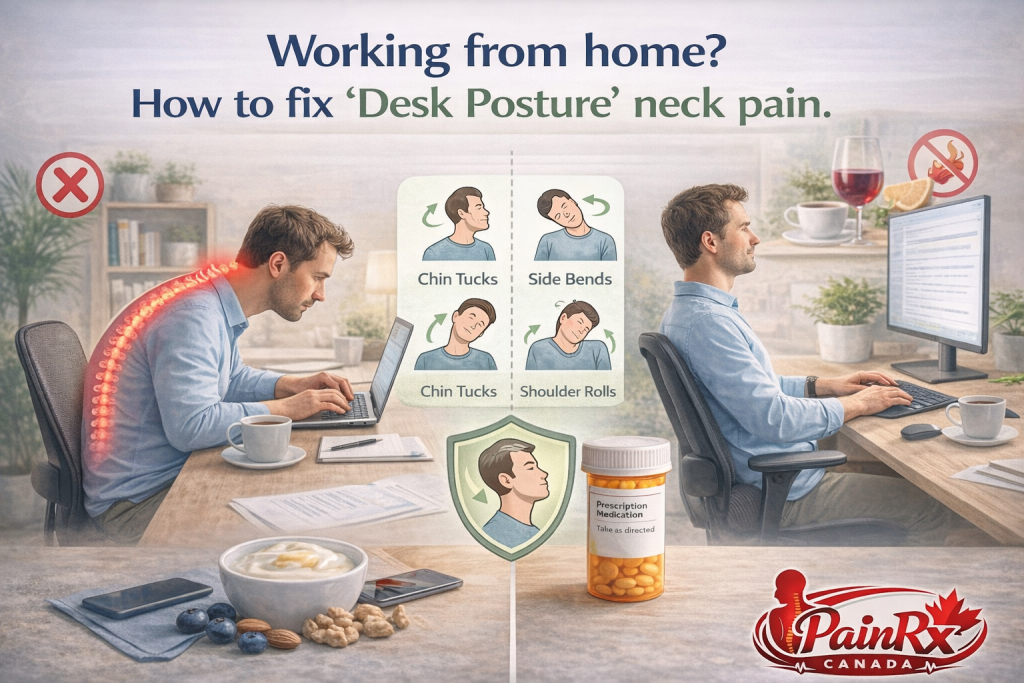
The COVID-19 pandemic changed where Canada works. Millions of us left office towers and set up shop at kitchen tables. We worked from couches, bedrooms, and makeshift desks. At first, it felt liberating. No commute. No dress code. However, years later, our bodies are sending a bill. That bill often arrives as a persistent, nagging pain in the neck. If you are working from home and your neck hurts, you are not alone. This is the age of “desk posture” neck pain. The good news is that you can fix it. Learning how to fix desk posture neck pain is essential for your comfort and productivity.
The Anatomy of “Tech Neck”
Before fixing the problem, we must understand it. Health professionals have a name for this condition. Some call it “tech neck.” Others call it “forward head posture.” Whatever the name, the anatomy is the same.
Your head weighs about 10 to 12 pounds. When your ears are aligned over your shoulders, your neck muscles handle this weight easily. However, for every inch your head juts forward, the effective weight doubles. Your neck muscles must work much harder to hold it up. This strains muscles, compresses joints, and stresses spinal discs. Over time, this leads to pain, stiffness, and even headaches. If you are working from home, poor setup almost guarantees this posture. Understanding how to fix desk posture neck pain starts with understanding this mechanical stress.
Why Working from Home Made It Worse
Offices have ergonomic standards. Employers provide adjustable chairs and monitor stands. They may even offer ergonomic assessments. At home, many of us make do with what we have.
You might work from a laptop on a coffee table. You might sit on a dining chair with no back support and might curl up on the couch with your computer on your lap. These positions feel comfortable for about twenty minutes. Then your muscles start to fatigue. You slouch. Your head moves forward. You crane your neck to see the screen. Hours pass, and the damage accumulates. Day after day, this repeated strain becomes chronic pain. This is why learning how to fix desk posture neck pain is so critical for the remote workforce.
The Perfect Ergonomic Setup
The foundation of neck health is your workspace. You cannot stretch your way out of a bad setup. You must create an environment that supports good posture naturally.
Start with your chair. Your feet should rest flat on the floor. Your knees should be at a 90-degree angle and your hips should be slightly higher than your knees. If your chair lacks support, use a cushion. Next, look at your desk. Your elbows should be at 90 degrees when typing. Your wrists should be straight, not bent up or down. Now, the most critical element for neck pain: your screen. The top of your monitor should be at or slightly below eye level. You should not tilt your head up or down to see. If you use a laptop, you need a separate keyboard and a laptop stand. This raises the screen to the correct height while keeping your hands comfortable. This setup is step one in how to fix desk posture neck pain.
Monitor Position: The Detail That Matters
Let us dive deeper into monitor position. It is the single most important factor for neck pain. When your screen is too low, you look down. This is the classic “text neck” position. When your screen is too high, you look up. This strains the back of your neck.
The ideal position places the top third of your screen at eye level. You should look slightly downward at the center of the screen, about 15 to 20 degrees. Your gaze should be natural, not strained. If you wear bifocals or progressives, you may need to lower the screen slightly. This allows you to read through the correct part of your lenses without tipping your head back. Experiment with height until your neck feels relaxed. This single adjustment is a game-changer in how to fix desk posture neck pain.
The Role of Your Chair and Back Support
Your chair does more than hold you up. It determines your pelvic position. And your pelvic position determines your spinal curve.
When you sit, your pelvis can tilt forward or backward. A forward tilt maintains the natural curve in your lower back. This supports your entire spine, including your neck. A backward tilt, or slouching, flattens your lower back. Your whole spine rounds. Your head juts forward to compensate. This is a chain reaction. It starts at your pelvis and ends at your neck. Therefore, good neck posture begins with good sitting posture. Use a lumbar roll or a cushion to maintain that natural curve. Your neck will thank you. This holistic view is essential for understanding how to fix desk posture neck pain.
Simple Stretches for Immediate Relief
Even with perfect ergonomics, you will get stiff. Muscles need movement. Here are stretches you can do right at your desk.
Chin Tucks: Sit up straight. Pull your chin straight back, like making a double chin. Hold for five seconds. Repeat ten times. This strengthens the deep neck flexors and reverses forward head posture.
Neck Side Bend: Gently tilt your ear toward your shoulder. Hold for 20 seconds. Repeat on the other side. You should feel a stretch along the side of your neck.
Shoulder Rolls: Roll your shoulders backward in a big circle ten times. Then roll them forward ten times. This releases tension in the upper traps, which often refer pain to the neck.
Upper Trap Stretch: Reach your right arm behind your back. Tilt your left ear to your left shoulder. Gently place your left hand on your head for a deeper stretch. Hold 20 seconds. Switch sides.
Perform these stretches every hour or two. They are your immediate toolkit for how to fix desk posture neck pain.
Strengthening Exercises for Long-Term Relief
Stretching feels good, but strengthening prevents recurrence. Weak muscles allow poor posture to creep back. Focus on these exercises a few times per week.
Scapular Retractions: Sit tall. Squeeze your shoulder blades together as if holding a pencil between them. Hold for five seconds. Repeat ten times. This strengthens the rhomboids and mid-traps, which pull your shoulders back into good position.
Prone Y’s and T’s: Lie on your stomach on a bed or the floor. For T’s, extend your arms straight out to the sides, thumbs up. Lift your arms off the surface, squeezing your shoulder blades. For Y’s, extend your arms overhead at a 45-degree angle, thumbs up, and lift. These target the often-weak muscles of the upper back.
Wall Angels: Stand with your back against a wall. Your feet can be a few inches out. Press your lower back, upper back, and head against the wall. Raise your arms into a “goal post” position, then slowly slide them up and down like making a snow angel. Keep contact with the wall. This teaches proper shoulder and spine alignment.
Strength is your armor against gravity. It is a vital part of how to fix desk posture neck pain permanently.
The Importance of Movement Breaks
Your body is not designed to sit still for eight hours. Even with perfect posture, stillness causes problems. Blood pools. Muscles stiffen. Joints get compressed.
The solution is frequent movement. Aim to stand up every 30 to 45 minutes. Walk to the kitchen. Refill your water. Look out a window at a distant point. This changes your position and resets your posture. It also gives your eyes a break from screen focus. Consider a standing desk converter. Alternate between sitting and standing throughout the day. However, remember that standing still is also a form of stillness. Move whether you sit or stand. Movement is the lubricant for your joints. It is an overlooked secret in how to fix desk posture neck pain.
How Your Phone Makes It Worse
Your desktop setup might be perfect. Then you pick up your phone. You look down to scroll. Immediately, you undo all your good work.
Phone use is a major driver of neck pain. The angle of looking down stresses your cervical spine tremendously. When you check social media, emails, or news on your phone, you spend minutes or hours in this damaging position. The solution is simple but requires awareness. Bring your phone up to eye level. Do not bring your head down to the phone. Your arms may get tired at first. This tells you how weak your upper back muscles have become. Over time, holding the phone higher will build strength. Be mindful of your phone posture. It is the other half of how to fix desk posture neck pain.
When to See a Professional
Self-care works for most mechanical neck pain. However, some symptoms require professional help. Do not ignore these red flags.
If your neck pain radiates down your arm, you may have a pinched nerve. If you experience numbness or tingling in your fingers, seek evaluation or you have weakness in your hands or arms, see a doctor promptly. Also, seek help if pain persists despite improving your setup and doing stretches for several weeks. A physiotherapist can provide hands-on treatment and personalized exercises. A chiropractor may help with joint mobility. Your family doctor can rule out more serious causes. Knowing when to seek help is part of wise how to fix desk posture neck pain management.
The Psychological Component
Stress and neck pain are close companions. When you are stressed, you tense your shoulders. You might hunch forward without realizing it. This tension creates pain, and the pain creates more stress. It becomes a cycle.
Working from home can blur boundaries. You might work longer hours. You might feel pressure to always be available. This chronic low-grade stress keeps your muscles tight. Incorporate relaxation into your day. Deep breathing signals your nervous system to calm down. A five-minute meditation can release physical tension. Even a short walk outside resets your mental state. Addressing the mental aspect of pain is crucial for complete relief. It is an often-missed component of how to fix desk posture neck pain.
PainRx Canada: Supporting Your Workspace Wellness
At PainRx Canada, we understand that pain is complex. It has physical, environmental, and sometimes emotional roots. While we provide medications when needed, we prefer to help you address the cause. We want you to need fewer pills, not more.
If neck pain is interfering with your work and life, talk to us. Our pharmacists can recommend topical pain relievers for acute flare-ups. We can advise on when to use heat or ice. We can also guide you on when to seek further help from a physiotherapist or doctor. Your wellness is our mission. We are your partners in navigating the challenges of working from home.
Conclusion: Take Control of Your Neck Health
Working from home offers freedom and flexibility. It should not come with chronic pain. The rise of “desk posture” neck pain is a modern epidemic. However, it is a preventable and treatable one. You have the power to change it.
Start with your setup. Raise that screen. Support your back. Then, incorporate movement and stretches into your day. Strengthen the muscles that hold you upright. Be mindful of your phone. Address your stress. These steps are simple, but they require consistency. Your neck has been compensating for poor habits for years. It will take time to heal. Be patient with yourself. Now you know how to fix desk posture neck pain. The next step is yours.
Frequently Asked Questions
1. How long does it take to fix desk posture neck pain?
It varies. Acute pain from a few bad days may resolve in days to weeks. Chronic pain from years of poor posture may take several months of consistent effort to fully resolve. Be patient and persistent.
2. Can a bad pillow cause neck pain even with good desk posture?
Absolutely. Your neck needs support while sleeping too. A pillow that is too high or too low can strain your neck overnight. Look for a pillow that keeps your spine neutral, aligned as if you were standing.
3. Should I use a neck brace or collar for support?
Generally, no. Collars are for acute injuries like whiplash. For chronic posture-related pain, they can weaken the muscles you need to strengthen. Focus on active exercises, not passive bracing.
4. Is a standing desk better for neck pain?
A standing desk can help by allowing you to change positions. However, standing still is not a cure. The key is alternating between sitting and standing, and maintaining good posture in both positions.
5. What pain medication helps with desk posture neck pain?
For acute flare-ups, over-the-counter options like ibuprofen (Advil) or acetaminophen (Tylenol) can help. Topical creams with menthol or anti-inflammatories may also provide relief. Always consult a pharmacist, especially if you take other medications.